Getting started
Is there an Android or iOS app?
Not in the App Store or Google Play — but you don't need one! Mythlings is a web app, so you can add it to your phone or tablet's Home Screen in a few taps. It gets its own icon, opens full screen without any browser buttons, and feels just like an app. There's nothing to download and it's always up to date.
iPhone and iPad (Safari)
These steps are for Safari, the browser that comes with your iPhone or iPad.
Step 1: Open Mythlings in Safari
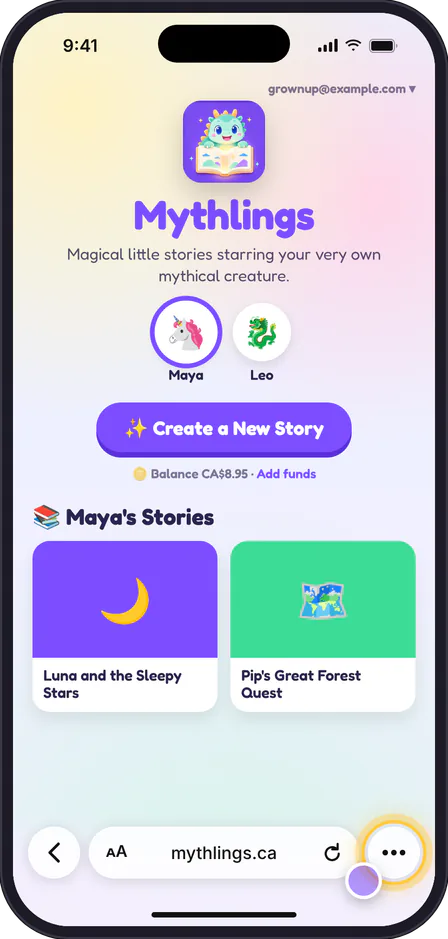
Go to app.mythlings.ca and tap the ••• button at the bottom right of the screen, next to the address bar.
On older versions of iOS, tap the Share button (a square with an arrow pointing up) in the toolbar instead, then skip to step 3. On iPad, it's at the top of the screen.
Step 2: Tap Share
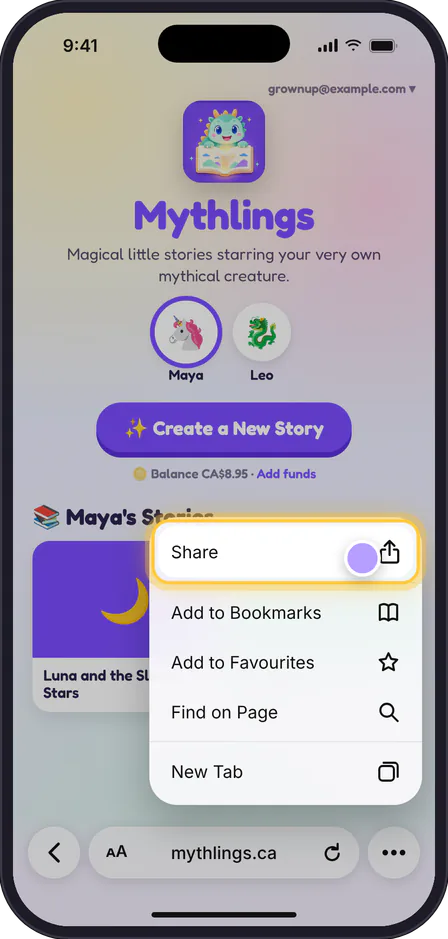
A menu pops up. Tap Share at the top.
Step 3: Choose Add to Home Screen
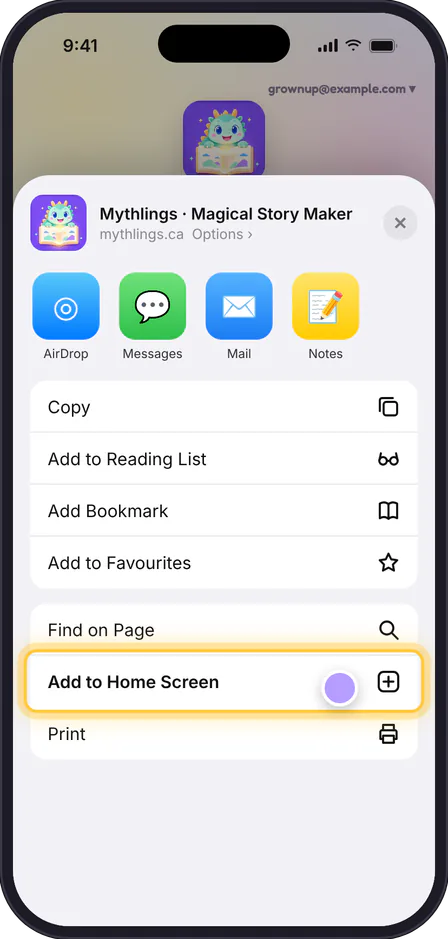
Scroll down the list of actions and tap Add to Home Screen.
Don't see it? Scroll right to the bottom and tap Edit Actions…, then add it to your list.
Step 4: Tap Add
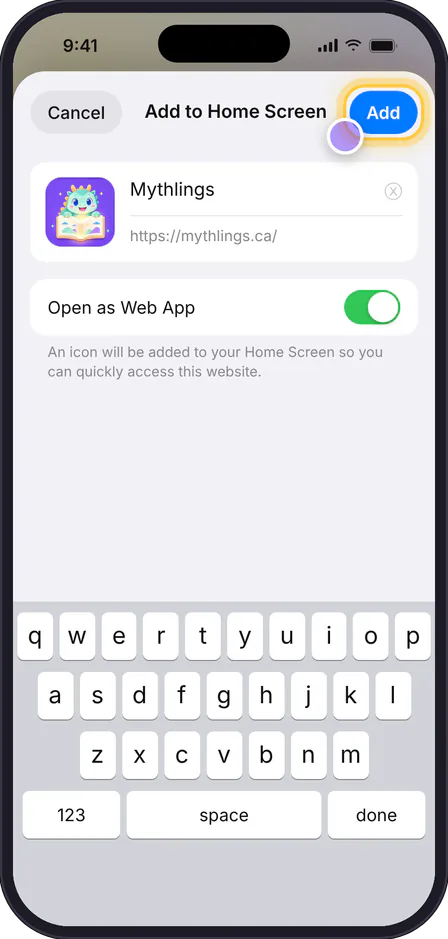
You'll see the Mythlings icon and name. If there's an Open as Web App switch, leave it on so Mythlings opens full screen. Then tap Add.
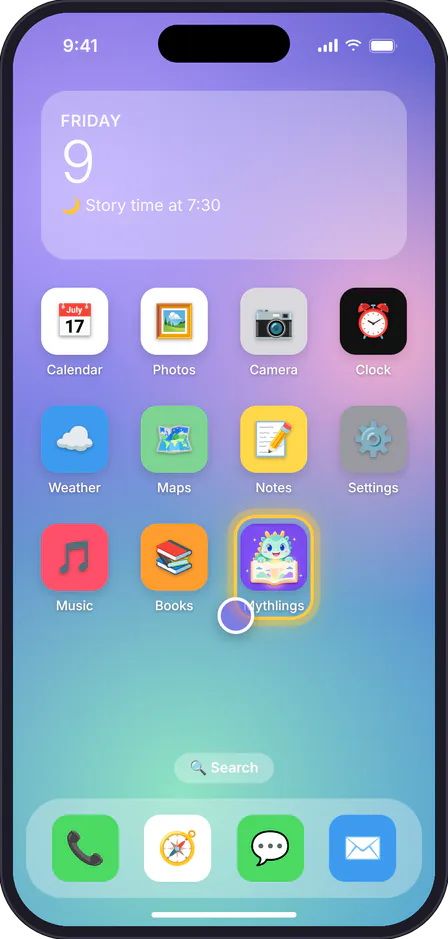
Step 5: Open Mythlings from your Home Screen
That's it! Mythlings now has its own icon on your Home Screen. Tap it whenever it's story time. You can move it, or put it in a folder, just like any other app.
Tip: the Home Screen app keeps its own sign-in, separate from Safari, so you may be asked to sign in once more the first time you open it.
Android (Chrome)
- Open app.mythlings.ca in Chrome.
- Tap the ⋮ menu at the top right.
- Tap Add to Home screen (on some phones it says Install app), then Install or Add.
The Mythlings icon will appear on your Home screen and in your app list.
Removing it
Press and hold the Mythlings icon, then choose Remove App (iPhone and iPad) or Uninstall (Android). This only removes the icon — your account, readers and stories are kept safe, and you can always visit mythlings.ca again.