Monthly plans
How do I cancel my plan?
You can cancel your plan yourself, any time, in a couple of taps. It stops on your next renewal date: you keep this month's stories until then, and nothing more is charged. We email you when it ends.
Step 1: Open your plan
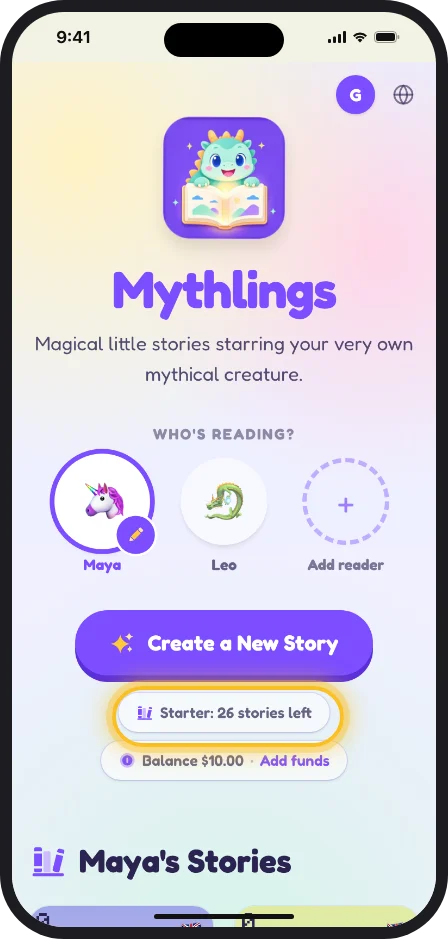
In the library, tap your plan under Create a New Story. You can also choose Plans from the account menu.
Step 2: Tap Cancel plan
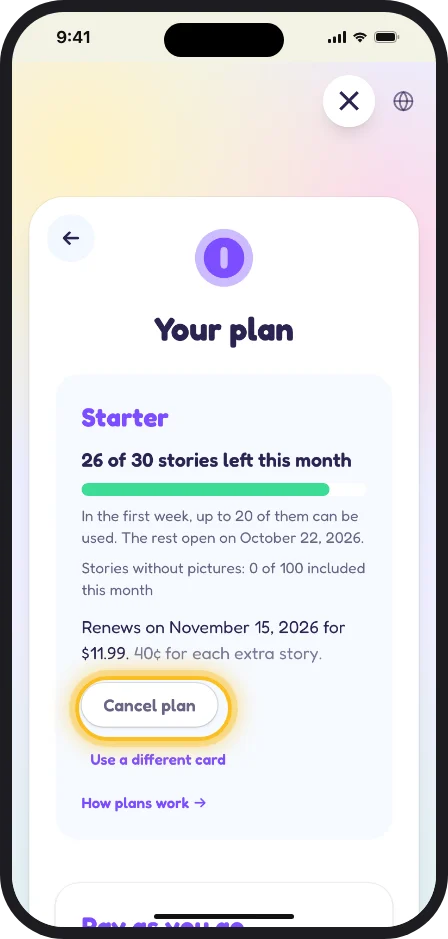
The page shows how many stories you have left and when your plan renews.
Step 3: Confirm
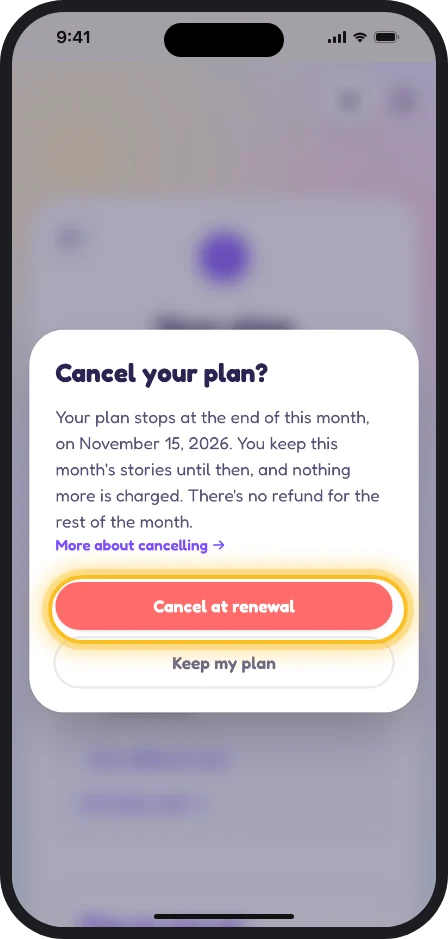
Tap Cancel at renewal. The dialog reminds you of the date your plan stops.
Step 4: Done (and you can undo it)
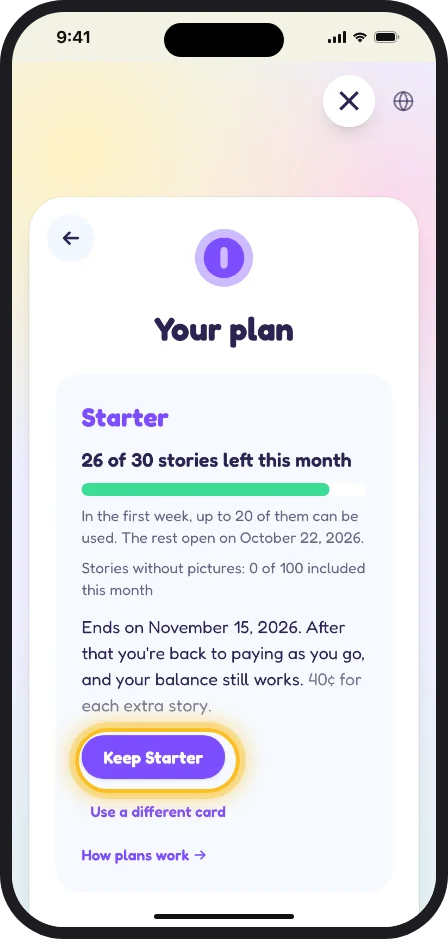
The page now says when your plan ends. Changed your mind before then? Tap Keep Starter (or Plus) and it carries on as before.
Good to know
- Your story balance is separate: it stays, and you can keep paying as you go.
- There's no refund for the rest of the current month, as our Terms of Service say.
- Paying with Link? Your plan shows in Link's Recurring section, but you cancel it here, in Mythlings.
- Cancelling a plan doesn't close your account. To close your account (which also stops the plan straight away), see Closing your account.